

 Contact Us

 Home /
 What Should a Reception Robot Ask a Visitor to Share?

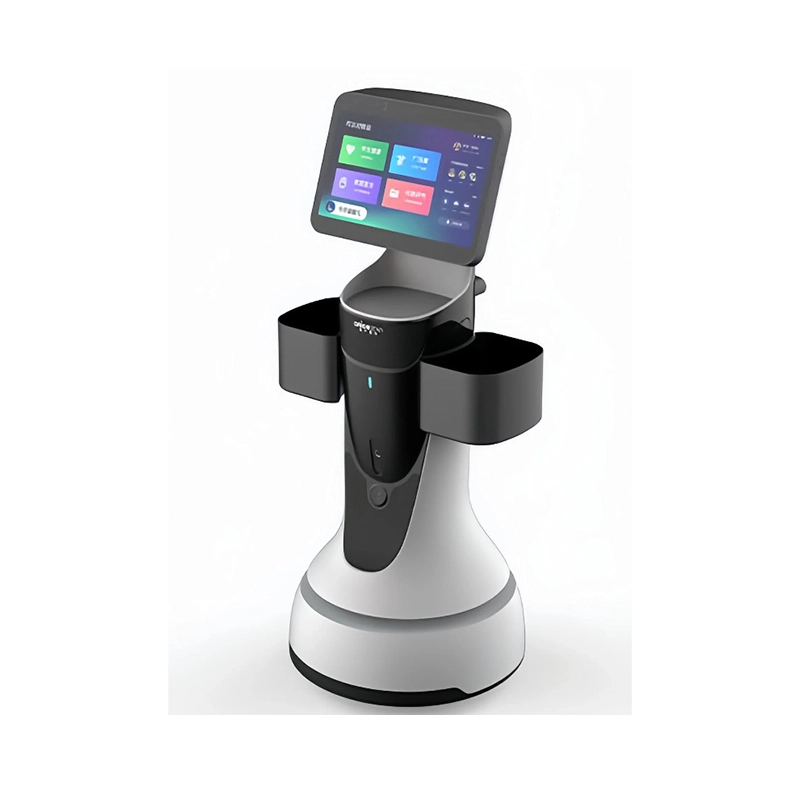
Take the proposed registration form one field at a time. What reception task would fail if that field were removed? That question is more useful than a general discussion of privacy, because it ties every field to a service the reception robot is actually meant to provide. A field that serves no reception task is a field the site does not need to collect, store, and later delete.
Remove fields that do not serve the reception task
Start by separating three functions that are easy to blur: recording a visit, checking an appointment, and making an identity or security decision. Only the first two are ordinary reception tasks. An identity or entry decision is a different process with its own rules, and a robot that completes a registration has not approved entry.
The table below is a starting point for the review. Each decision is a method suggestion, not a legal conclusion for any jurisdiction.
| Candidate field | Reception purpose it must answer | Default review action | Staff alternative that can remain |
|---|---|---|---|
| Appointment number / host | Whether it completes an appointment check or notification | Keep only where the actual flow needs it; check who can see it | Reception assists the check |
| Visitor display name | Whether it is needed for identification in this service | Clarify field precision and necessity first | Staff verifies in person |
| Company / organization | Whether it genuinely changes the reception flow | Do not collect by default without a stated purpose | Reception asks if needed |
| Contact details | Why direct contact is needed for this visit | Do not make it required just because the system offers the field | Host or reception notifies instead |
| Arrival time | The specific use of the registration or operations record | Check the generating party, access, and retention basis | Manual entry channel |
| ID document image | Whether it exceeds the registration task | Exclude from default robot fields; needs separate basis and process review | Authorized staff handle it |
| Face / biometric data | Whether it is a separate processing purpose | Not a default requirement for visitor registration | A non-biometric service path |
For every field that is finally retained, add columns for Purpose / Store or processor / Access role / Retention basis / Export-delete path / Staff alternative / Source and unresolved point. Unknown parties are written as to-be-confirmed, not filled with a guess.
Provide an accessible notice that matches the form and its actual data flow; a separate full notice for every field is not required by the cited checklist. For UK processing, the ICO's checklist distinguishes information collected directly from the person from information obtained elsewhere. Include the applicable purposes, lawful basis, recipients, retention information and rights; withdrawal of consent applies where consent is the basis. For a mainland China scenario within its scope, review Articles 6, 17 and 19 of the Personal Information Protection Law for minimum-necessary collection, notice and retention requirements. Do not derive a legal rule from a visitor-system advertisement or a company's privacy policy, and do not invent a universal retention period.
Follow each retained field beyond the screen
A field review becomes traceable when it follows the data past the screen.
The screen, local cache and destination system
Trace the path from the input screen to any local cache, then to the cloud or visitor management system, then to export and deletion. Mark the processing role and location of each party. Where the vendor material does not confirm an offline mode, do not write offline operation as a default. Every unknown party is recorded as to-be-confirmed.
Synthetic appointment-check example — proposed design, not a product capability claim. This illustration uses two invented values and no real visitor record. The proposed path is screen → temporary request buffer → visitor-management system (VMS) → reception or host notification. A returned appointment match is not entry authorization.
| Field and invented value | Why it is retained in this example | Proposed handling and access | Retention and export/delete boundary | Evidence still needed |
|---|---|---|---|---|
appointment_ref = APPT-DEMO-01 |
Match the visit to an existing appointment | Submitted to the VMS; reception sees the match result; a host notification need not expose the full reference | Proposed screen and request-buffer clearing after acknowledgment or cancellation; any VMS record follows the site's approved appointment-retention rule, which is not supplied here | OEM evidence for caches, request logs and failure handling; site owner must approve the retention rule and verify deletion/export behavior |
host_alias = HOST-DEMO-A |
Route the notification to the intended host where the reference alone is insufficient | Resolved by the VMS; reception and the designated host receive only the information needed for the visit | No separate robot-side host-history store is proposed; VMS and notification logs must be included in the same retention review | Confirm whether the actual appointment reference already identifies the host; remove this field if it adds no necessary function |
A short screen prompt for this example is: "Enter your appointment reference so reception can match your visit and contact your host. Prefer assistance? Ask the front desk." It is a purpose prompt, not the complete privacy notice. The site must provide the applicable controller, legal-basis, retention and rights information before collection. If the VMS is unavailable or the match fails, route the visitor to reception; do not silently retain submissions for an unverified offline mode.
Who can view, export, correct or delete the record
List, for each retained field, which role can view it, which can export it, and which can correct or delete it. Access without a named responsible role is an open item. The question of who owns the data and whether it can be exported connects to software licensing and data rights, which handles the general data-rights framing while this article handles the field and reception flow. Account and access decisions touch robot cybersecurity procurement checks, kept as a boundary rather than re-expanded here.
Give staff a defined route for exceptions
The handover between the robot and a person is where scope is easiest to blur. Give each exception a named route:
- No appointment. Reception decides the next step.
- Visitor declines the robot. The manual registration path.
- Information error. An authorized person corrects it.
- Same-name conflict or an identity question. The existing security or reception duty, not a robot judgment.
- A correction or deletion request. Whoever owns the record processes it.
- A sensitive request the robot cannot handle. Route to a person, full stop.
Face recognition or ID photography is not a default necessary function. Completing registration is not the same as approving entry, and the two should not be presented as one step.
Resolve market-specific questions before approving the configuration
Before approving the form, name the destination system, processing roles, necessary fields and applicable retention basis. The customer's authorized privacy and security reviewers decide those requirements; the equipment maker supplies the actual architecture and product records. Use documentation and compliance support to organize the available device documents and assign the remaining questions about storage, access and deletion to the right supplier. Finish with one controlled field-list version and a working staff alternative, not an assumed robot-side approval of the visitor.
Share on Social:


- PREV: Does Your Floor Need Pre-Sweeping Before Robotic Scrubbing?
- NEXT: Not NEXT