

 Contact Us


Visitor Welcome
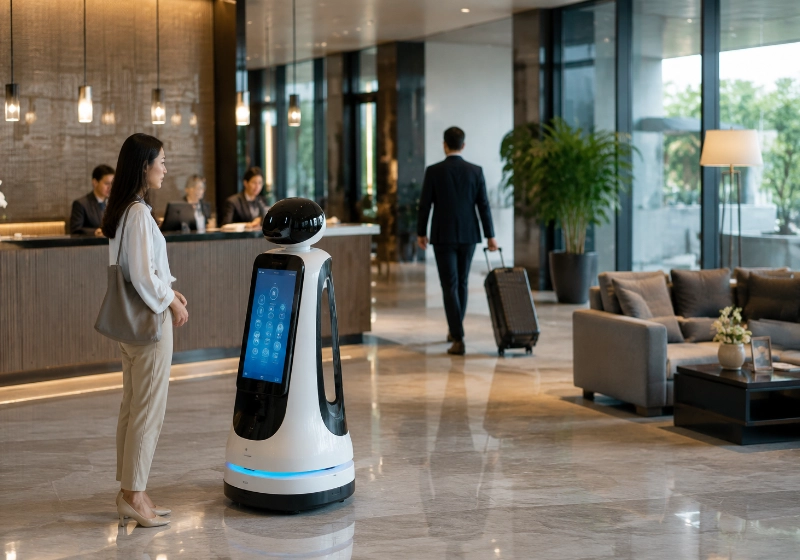
Robots can greet visitors, provide basic information, and direct them to the correct desk, room, or zone. Welcome scripts, languages, and interaction style can be configured based on the venue and audience.

Automate reception, visitor guidance, information queries, and content display with robot solutions matched to your venue and engagement needs.
AIsirRobot helps evaluate visitor flow, language, content, and system requirements, then coordinates suitable models and configurations with selected supplier partners.
Robots can greet visitors, provide basic information, and direct them to the correct desk, room, or zone. Welcome scripts, languages, and interaction style can be configured based on the venue and audience.
Robots can answer frequently asked questions using pre-loaded content, keyword-based matching, knowledge-base search, or conversational AI — depending on the model and configuration. The accuracy and scope of answers depend on the content setup and interaction method. Complex, sensitive, or unusual questions should be routed to human staff.
Mobile robots can guide visitors through predefined routes in museums, showrooms, and exhibition spaces. Tour content, duration, and interaction points can be customized. Navigation capability, crowd handling, and route complexity determine feasibility.
Robots with integrated screens can display promotional videos, product information, event schedules, or interactive content. Content management and scheduling may be handled through a remote management platform, depending on the model.
Robots can provide simple interactive experiences — quizzes, surveys, feedback collection, or wayfinding assistance. Advanced interactions such as payment, identity verification, or business system integration typically require additional development and confirmation.
Venue information, tour scripts, Q&A content, promotional media, and interaction flows are prepared and loaded into the robot or management platform. Content structure and update method depend on the selected model and software.
The robot detects or is approached by a visitor. It initiates a welcome, responds to a question, or begins a guided tour based on its configuration and trigger method. Interaction language and style depend on the model and content setup.
For guided tours, the robot follows a predefined route, pausing at points of interest and delivering content. For stationary interaction, the robot responds to voice, screen input, or proximity triggers. Navigation and interaction capabilities depend on the selected model and sensor configuration.
Content can be updated through a management platform, depending on the model. Remote monitoring, schedule changes, and performance reporting may be available. Update method, access control, and data handling should be confirmed per model and venue requirements.
Different reception and engagement scenarios require different robot configurations. The comparison below is a starting point; final selection depends on the venue, audience, content, and integration requirements.
| Robot Type | Common Uses | Typical Configuration | Important Selection Conditions |
|---|---|---|---|
| Mobile Reception Robot | Visitor welcome, guided tours, mobile information desk | Screen, speaker, microphone, navigation system, camera | Language support, navigation method, battery runtime, content management |
| Stationary Interactive Robot | Fixed-location Q&A, information display, check-in | Screen, speaker, microphone, optional camera | Language support, content platform, network connection, accessibility |
| Mobile Display and Promotion Robot | Promotional content, event display, retail engagement | Large screen, media player, optional interaction interface | Screen size, content format, battery runtime, venue traffic, safety sensors |
| Humanoid Robot | High-impact welcome, brand showcase, exhibition interaction | Humanoid form, voice interaction, screen, navigation | Use case, audience expectation, deployment complexity, maintenance |
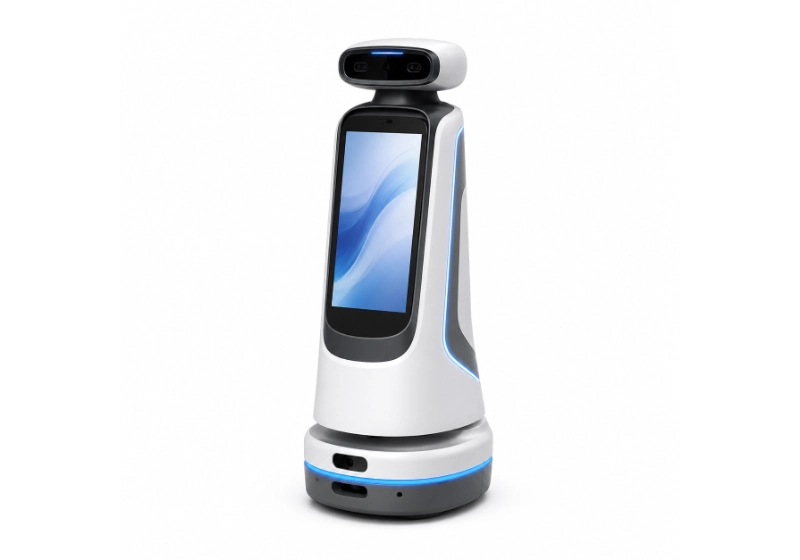
Suitable for venues that require mobile welcome, guided tours, and roaming information support. Selection depends on language support, navigation capability, content management, and venue layout.
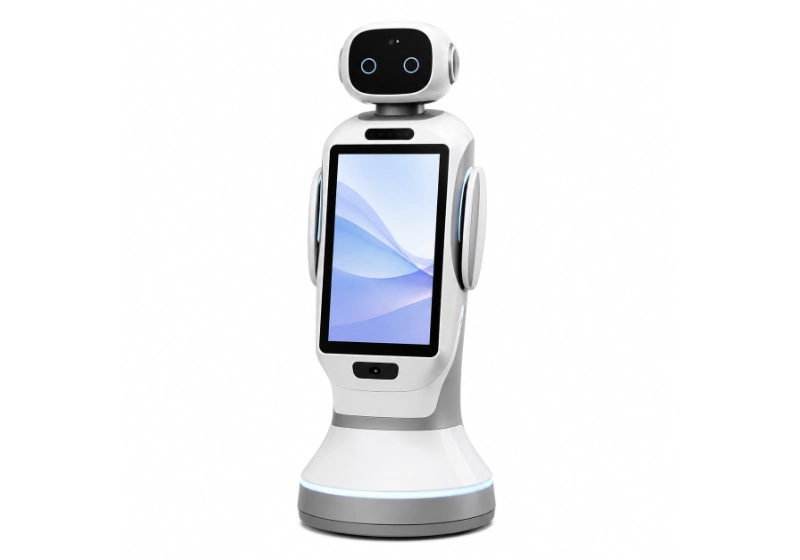
Designed for fixed-location information service, check-in support, and Q&A interaction. Selection depends on language support, content platform, and accessibility requirements.
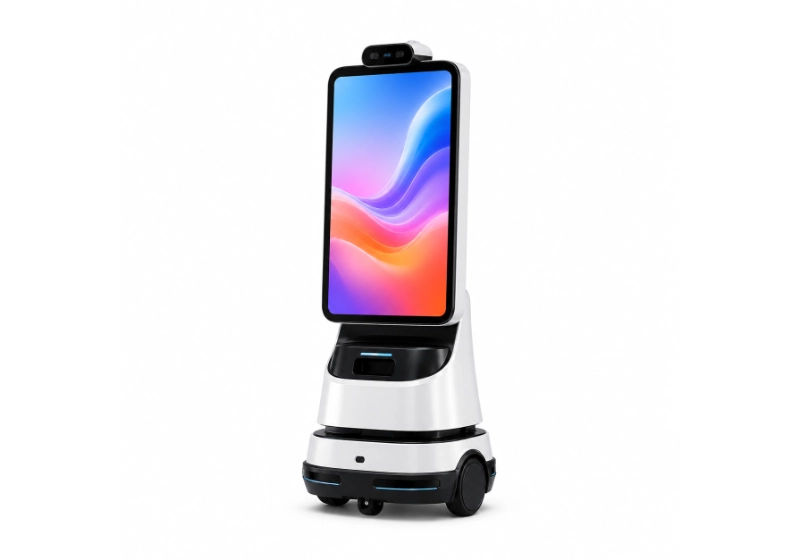
Configured for promotional content delivery, event engagement, and retail interaction. Selection depends on screen size, content format, battery runtime, and venue traffic management.
Reception robot deployment should account for environmental conditions, network infrastructure, data privacy, and system integration requirements.
Share your venue, visitor flow, language, content, and interaction needs. We assess navigation, connectivity, privacy, accessibility, and integration requirements.
We compare suitable models by interaction method, language support, navigation, screen size, content management, privacy controls, and after-hours suitability.
We coordinate content, language, software, network, privacy settings, system interfaces, and charging requirements with selected suppliers or project partners.
We coordinate product documents, export information, packaging, and delivery. Installation, training, integration, and maintenance are confirmed separately when required.
AIsirRobot is a robot product and application solution provider. We focus on model selection, supplier and configuration coordination, documentation, international delivery, and after-sales coordination. On-site integration, installation, and maintenance are handled by relevant partners when included in the confirmed project scope.
Tell us how you want to engage visitors — what they should see, hear, and experience. The more we know about the venue, audience, languages, and content, the faster we can evaluate suitable robot configurations.