Contact Us



Reception Robot for Hotels, Hospitals, Showrooms and Government Halls
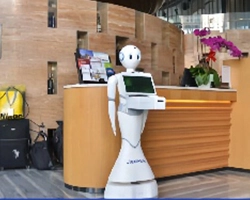
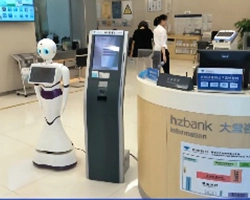
Looking for a reception robot that actually handles front-desk tasks, not just moves around? This AI reception robot performs visitor greeting, guided tours, business inquiries and visitor registration in public-facing venues. It combines SLAM2.0 laser navigation, full-duplex voice interaction and a 13.3-inch touchscreen to reduce repetitive front-desk workload and extend service hours beyond standard shifts.



Customer Challenges: Why Reception Desks Need Automation
If you manage a hotel lobby, hospital entrance, showroom or government service hall, you already know the problems:
Repetitive inquiries overwhelm your staff. The same questions — “Where is the restroom?”, “How do I get to Department X?”, “What are your business hours?” — consume hours of front-desk time every day. Staff who handle these questions repeatedly lose engagement and motivation.
Service stops when the shift ends. Non-hotel reception desks typically operate 8 to 12 hours per day. Visitors who arrive outside those hours get no assistance. For venues with extended operating hours or international visitors across time zones, this creates service gaps.
No single person knows everything. New hires cannot instantly recall every policy, procedure, facility map and service detail. When staff lack information, visitors wait, get frustrated or leave.
Turnover disrupts continuity. Front-desk positions have high turnover rates. Each departure means lost institutional knowledge, retraining costs and service quality drops during the transition.
A commercial reception robot does not replace your staff. It handles the repetitive, time-consuming tasks so your team can focus on complex requests that require human judgment.
 Photo
Photo
Product Types by Scenario
This reception robot can be configured for four primary service scenarios. Each scenario requires different knowledge content, interaction flows and hardware settings:
Reception Robot vs. Traditional Reception Desk
| Factor | Traditional Reception Desk | Reception Robot |
| Service hours | Limited to staff shift schedules | Operates within battery life per charge, approximately 10 hours |
| Repetitive inquiries | Handled by staff, consuming productive time | Handled automatically, freeing staff for complex cases |
| Knowledge consistency | Depends on individual staff training and memory | Delivers consistent answers from configured knowledge base |
| Visitor registration | Manual process or separate kiosk required | Integrated ID recognition and slip printing on the robot |
| Multilingual service | Depends on staff language skills | Display and interaction content configurable per language |
| Cost structure | Ongoing salary, training and turnover costs | One-time hardware plus configuration and maintenance |
| Complex visitor needs | Handled well by experienced staff | Requires escalation to human staff for non-standard requests |
A reception robot does not replace your staff. It handles the predictable, repetitive tasks so your team can focus on visitors who need human attention. The comparison above helps you decide where a reception robot fits in your workflow — and where it does not.
Core Features
Applications
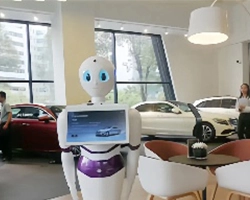
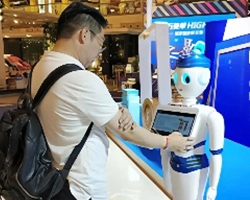
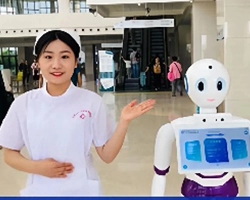
The reception robot is deployed in venues where reception, guidance and visitor management tasks are repetitive, time-sensitive and staff-intensive. Typical deployment environments include:

Technology and Specification Guide
FAQS
Q: Can the robot recognize ID cards from my country?
The robot includes an ID card sensor module. Recognition compatibility depends on the ID card format and standards of your target country. Please confirm your country’s ID format during consultation so we can verify compatibility before shipment.
Q: How does the robot navigate in a multi-floor venue?
The robot uses SLAM2.0 laser navigation for autonomous indoor movement. Each floor requires its own map. Multi-floor deployment needs to be confirmed during consultation, as navigation between floors depends on building infrastructure such as elevators and access control.
Q: What happens when the battery runs low during operation?
The robot monitors its battery level and autonomously returns to the charging station when it drops below a preset threshold. The charging station must be installed in a fixed, accessible location. Battery life is approximately 10 hours per charge under normal operation.
Q: Can I customize the robot’s appearance and software?
Yes. The robot supports OEM and ODM customization, including branded appearance, software interfaces and interaction flows. Customization scope, MOQ for custom configurations and project timelines are confirmed on a per-project basis.
Q: What is included in the warranty?
The robot comes with a 12-month warranty. Specific warranty coverage terms, including parts and labor scope, are confirmed during the quotation process based on your project requirements.
Q: What information should I prepare before requesting a quote?
Please prepare your venue type, primary tasks the robot should perform, target language, integration needs, destination country and expected quantity. See the checklist at the bottom of this page for the full list.
Request a Quote or Technical Evaluation
Tell us what you need the robot to do. Even if some technical details are not yet confirmed, our team can help evaluate suitable options.
- Application: Briefly describe the task, workflow, or problem you want the robot to handle.
- Key requirements: Share any known payload, reach, capacity, runtime, accuracy, speed, or other performance needs.
- Site & integration: Tell us about the operating environment, layout, existing equipment, or software interfaces if relevant.
- Quantity & timeline: Let us know the expected quantity, destination country, and target delivery or deployment time.