

 Contact Us

 Home /
 Multi-Stop Delivery Robots: Order Separation, Loading Sequence, and Wrong-Stop Prevention
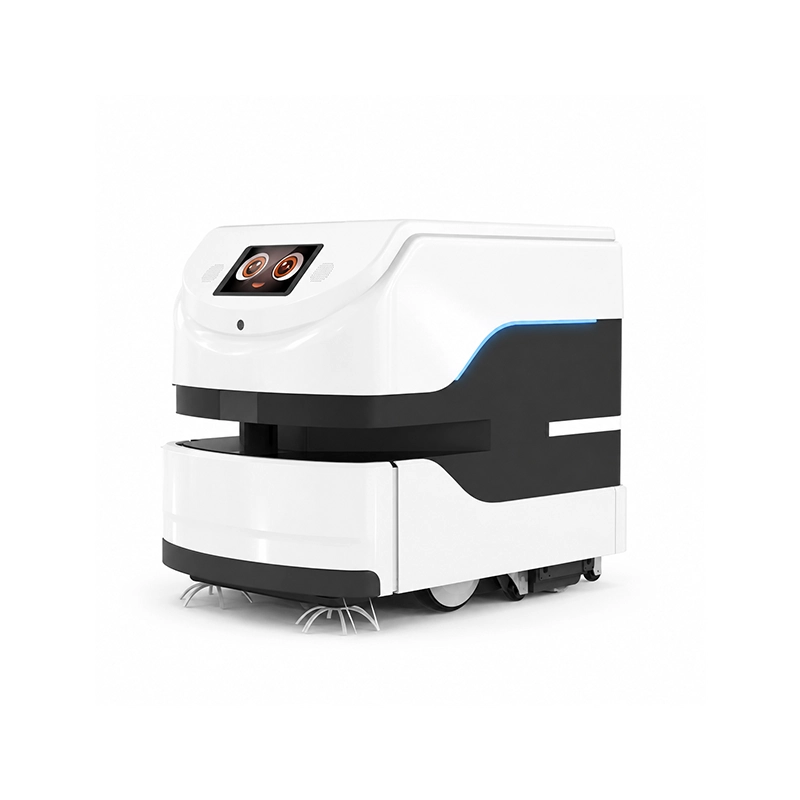


A delivery robot that carries one order is easy to trust: it goes to one place and someone takes the tray. A robot that carries several orders on one run is a different system, because now the machine has to keep the orders apart. The failure mode is not a crash; it is the guest at stop two opening a compartment that holds stop three's food, or a tray being loaded into the wrong slot. Multi-order delivery is an identity problem as much as a mobility problem, and it is designed, not assumed.
Define the Order–Tray–Destination Relationship
The design starts with a mapping: each order, its physical position in the robot, and its destination, linked as one record.
An order is a digital object: a room number, a table, a guest name, a set of items. A tray or compartment is a physical position in the robot. A destination is a stop on the route. Delivery accuracy depends on preserving that binding from loading through release at the intended stop; navigation alone does not prove the correct order was delivered. If an order is loaded into slot two but the system thinks it is in slot one, the robot delivers the wrong food to the right place, which is still a failure.
Write the mapping down before choosing a robot: for each stop on a run, which order, in which compartment, to which destination. Then decide how the binding is created and how it is preserved. Is the binding set when the order is created, when the tray is loaded, or when the run starts? What confirms it: a scan, a tray sensor, or an operator's input? The mapping is the backbone of the whole design, and every other question, from loading to dispatch to wrong-stop handling, refers back to it.
Verify Real Compartment and Tray Capabilities
Do not assume that a multi-compartment robot's compartments are interchangeable, or that an open tray is a secured one.
Compartments differ in size, in height, and in whether they lock. A sealed compartment with an access code is a different security level from an open tray that any passerby can take from. OrionStar's LuckiBot Pro Autodoor advertises a password-locked enclosure and a maximum 69 L storage space for a single tray configuration. This illustrates the difference between access-controlled compartments and open trays, but it does not establish that the robot can verify which order was placed inside.
Check the actual compartment configuration of the model you are considering: the number of compartments, their sizes, which ones lock, and how a compartment is opened at the destination. Verify the tray or compartment dimensions against what you will carry, because a tray that fits a covered plate may not fit a stack of boxes. Where a supplier does not publish the compartment detail, request it; the compartment capability is the limit on what a multi-order run can carry, so it cannot be left to assumption.
Hotels planning multiple floors or properties can use the hotel delivery robot rollout guide for elevator and group-level deployment questions.
Design Loading and Dispatch Confirmation
The moment a tray is loaded is where the digital order and the physical load first meet, and that moment needs a confirmation.
Manual loading confirmation and system dispatch are two different things. A person places the tray; the system assigns it to a stop. If the two are not reconciled, the robot can depart with the right orders in the wrong slots, or with a slot empty and the system believing it is full. The confirmation step closes that gap. It can be a scan of the order, a selection on the loading screen, a sensor that detects a tray in the slot, or a combination.
Look at how the specific platform handles this. Pudu Robotics' open platform, for instance, documents integration with hotel property management systems, restaurant point-of-sale and ERP systems, and other back-end systems, which is the kind of connection that can carry an order into the robot as a task. A manufacturer case study is a useful reference for how the order-and-dispatch flow works in practice, and one hotel deployment describes guests placing requests through a messaging channel, the front desk queuing a delivery task, and the robot carrying it out. Those examples show how the binding is created in practice and where a person stays in the loop; they do not guarantee that any robot on your site will do the same. Define your own loading confirmation, and check that the platform supports it.
Control Stop Sequence and Partial Completion
A run with several orders is a sequence with partial states, and each state needs a rule.
On a multi-stop run, orders complete at different times. One guest takes their tray, another does not. A stop may be added mid-run, or a delivery may be refused. The robot has to know how to continue: does it wait for confirmation at each stop, or move on after a timeout? What happens to an order that was not taken? Does the robot return for it, or hold it for the next run? These are state-transition questions, and the answers have to be defined in the system that manages the robot's tasks.
Task allocation across many robots belongs to the robot fleet management guide; here the focus is correct order release within one multi-stop run.
Do not rewrite the routing algorithm here; the point is the state handling, not the shortest path. Define what "delivered" means, how the robot confirms it, and what the robot does when a stop completes partially. A robot that treats a timeout as a delivery will leave food behind; a robot that waits forever will block the run. The rule for partial completion is what keeps a multi-order run from turning into a puzzle.
Handle Wrong Loads and Route Interruptions
The design has to assume that a wrong load or an interruption will happen, and decide in advance what the robot may and may not do.
A wrong load can be a tray in the wrong slot, an order bound to the wrong stop, or an item left from a previous run. An interruption can be a blocked route, a full robot, a guest who is not there, or a request to redirect an order. The safe default is conservative: the robot does not re-assign an order across stops on its own, and it returns or holds a wrong load for a person to correct. A person reviewing the load is the check that catches the error before it reaches the wrong guest.
Define the rules as conditions, not as automatic behaviors: when a mismatch is detected by a supported scan, compartment sensor, or staff check, suspend the affected delivery and require an authorized correction rather than silently reassigning the order. Staff keep the authority to reassign or to correct. This is business-process design, not robot code: you are specifying what the robot reports and what a person does in response, and that interface is what makes the wrong-load case survivable.
The robot interface control document guide shows how to record these exception states and responsibilities at the supplier boundary.
Test the Complete Multi-Order Run
The evidence for a multi-order system is a test of the run against its failure cases, not a smooth demo on a good day.
Build a run with several stops and load it with the awkward cases: a wrong-slot tray, an order that is not collected, a stop added mid-run, an interruption, and a load left from the previous run. Run each and observe whether the robot's confirmation, its stop handling, and its reporting behave as designed. Count the outcomes: correct delivery, missed delivery, wrong delivery, and wrong stop. The last two are the dangerous ones, and they are the ones a demo tends not to show.
Record what was tested and what was not. A multi-order run that has only ever been tested with correct loads, every guest present, and no interruptions has not been validated; it has been performed. The test you want is the one where something goes wrong, because that is where the order-tray-destination binding either holds or does not.
One wrong compartment can undo an otherwise successful multi-stop route. Share a de-identified order-to-slot-to-destination map, the locking or tray requirements, and three exceptions you need the operation to handle. Through integration planning and coordination, AIsirRobot can help clarify which identity, scan, compartment and status interfaces the manufacturer actually provides, and which staff decisions remain outside the robot.
Share on Social:


